

Overview
The Manufacturing Execution System (MES) connects shop floor operations with Microsoft Dynamics 365 Business Central. It supports production planning, task dispatch, execution tracking and production data collection.
MES brings production information together so teams can monitor operations and respond to changing requirements.
Key Capabilities
- Workshop planning and task dispatch
- Materials and tool management
- Drawing and document management
- Machine self-inspections and spot checks
- Production execution
- Data collection and analysis
- Production monitoring dashboards
Configuration and Master Data
Configure the required settings and master data before using the system to manage production execution.
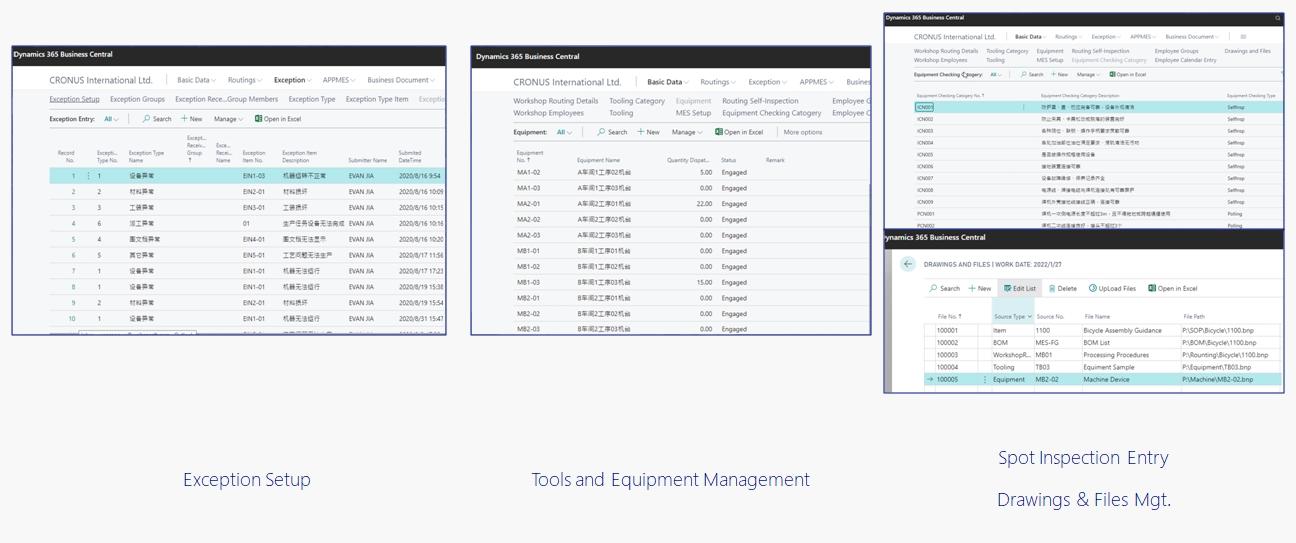
Workshop Planning and Task Dispatch
Planners schedule shop floor work and dispatch tasks to operators. Operators can refer to production drawings and work instructions as they carry out their assignments.
Reduce manual order follow-up for production planners
Replace paper-based workflows with digital records
Coordinate production tasks through the system
View production information in Business Central
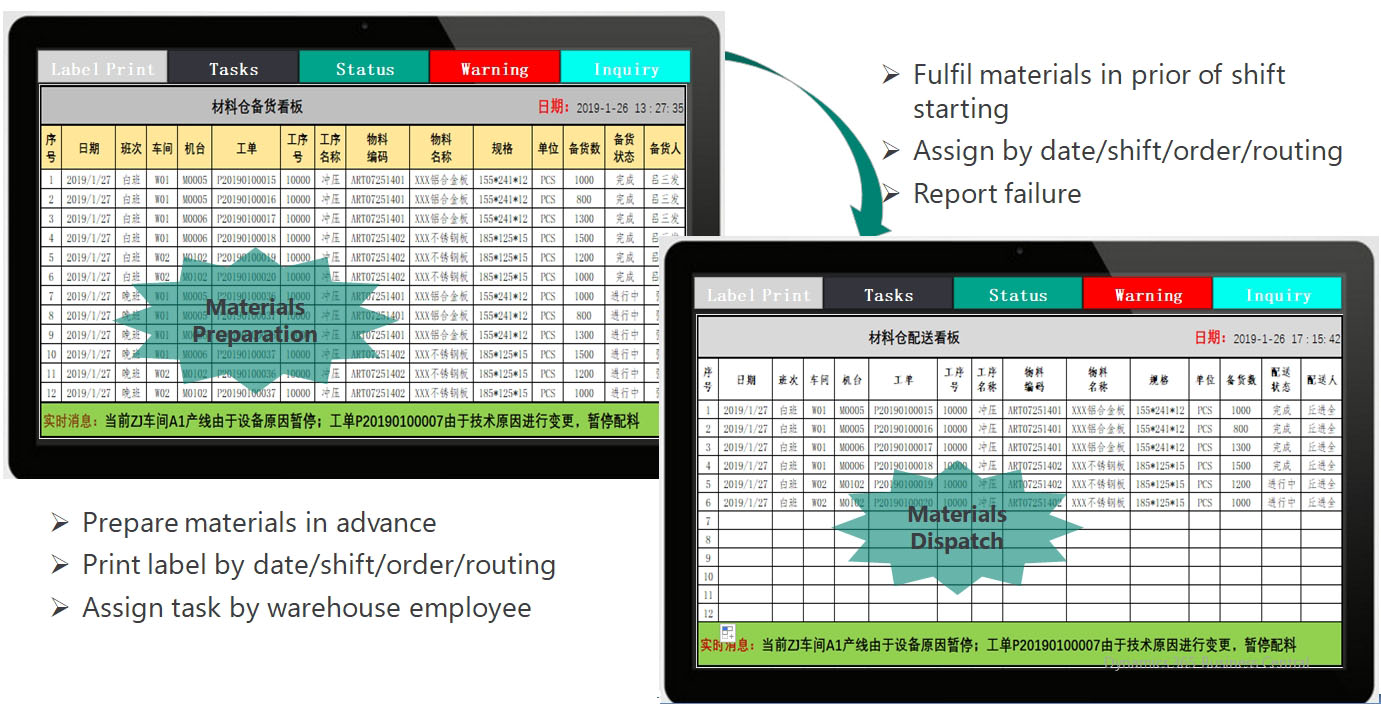
Materials and Tool Management
Production teams can track the materials and tools needed for shop floor work. The system also supports machine self-inspections and spot checks during production.
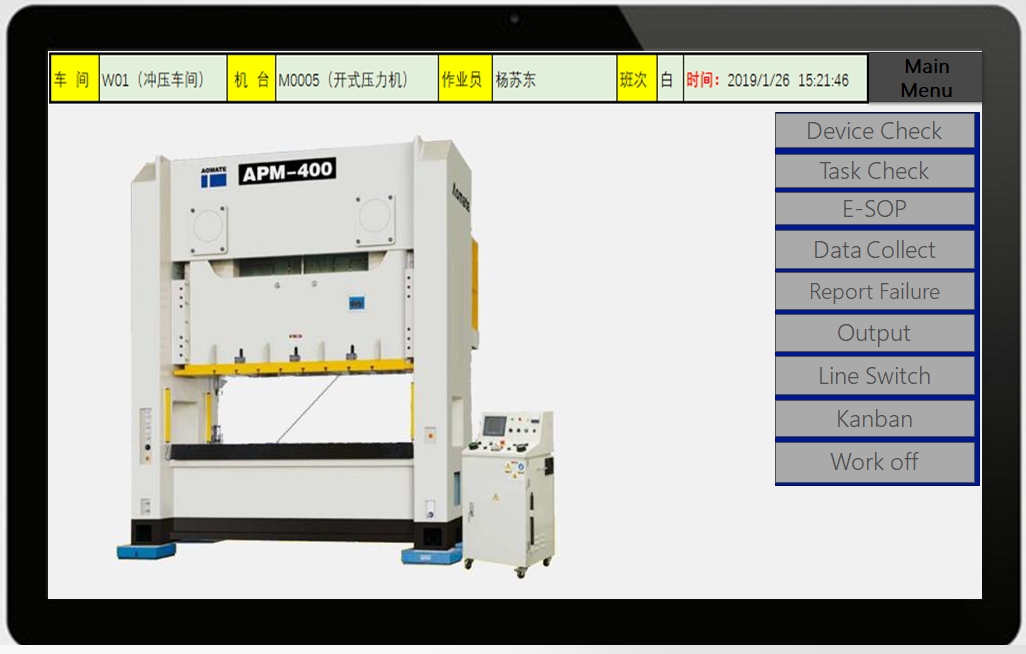
Production Execution
The tablet interface uses large buttons for shop floor work, including areas with limited lighting. Glove-compatible touchscreens are recommended. Production data is connected with Business Central and updated in real time.
- Real-time scanning and production reporting
- Machine connections for real-time data capture
- Real-time timesheet recording
- Light perception & Machine buttons
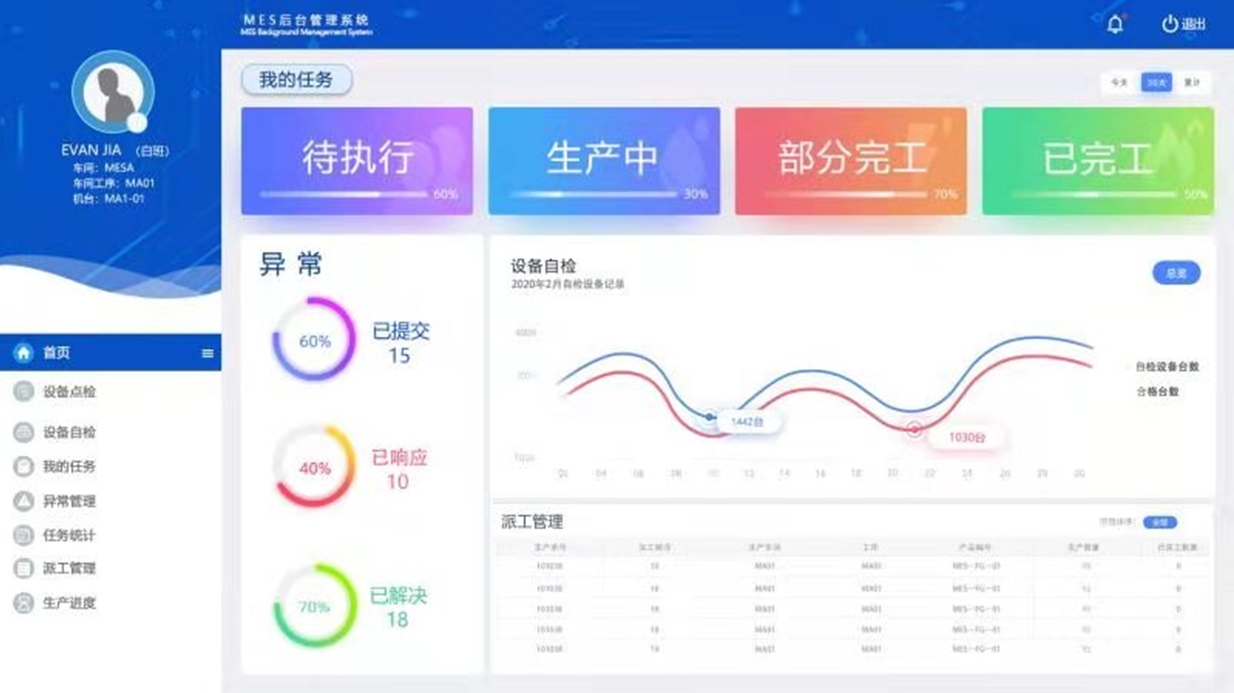
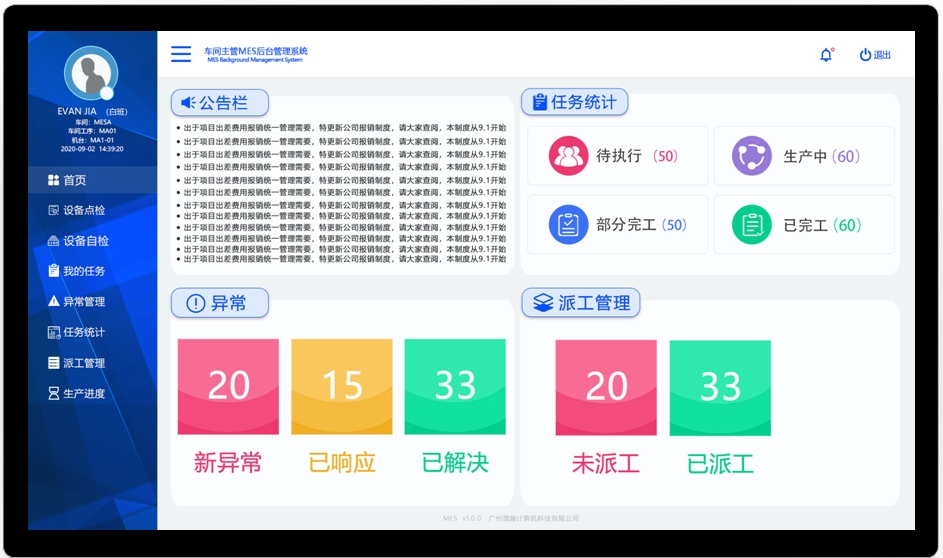
Production Dashboard
Supervisors can use the dashboard to follow production progress as operators report work. Scanned production reports, machine data and time records give the team a current view of activity on the shop floor.
Frequently Asked Questions
How does MES relate to Business Central?
The MES solution connects shop floor execution with Business Central, including planning, task dispatch, production reporting and data collection.
What does the shop floor interface provide?
The tablet interface uses large buttons for production work. It supports access to production information and real-time reporting connected with Business Central.
How can operators report work from the shop floor?
Operators can scan to report production and record time on a tablet. The system also supports data capture from connected machines. Production updates are available in Business Central.
Discuss Your Requirements
Talk to Weihan about your business processes, integration requirements and project scope.
Contact Us